A Shared Trip Itinerary You'll Both Remember
Flights, reservations, the day-by-day plan — trip planning generates a lot of small details. Keep them in one space instead of split across texts and screenshots.
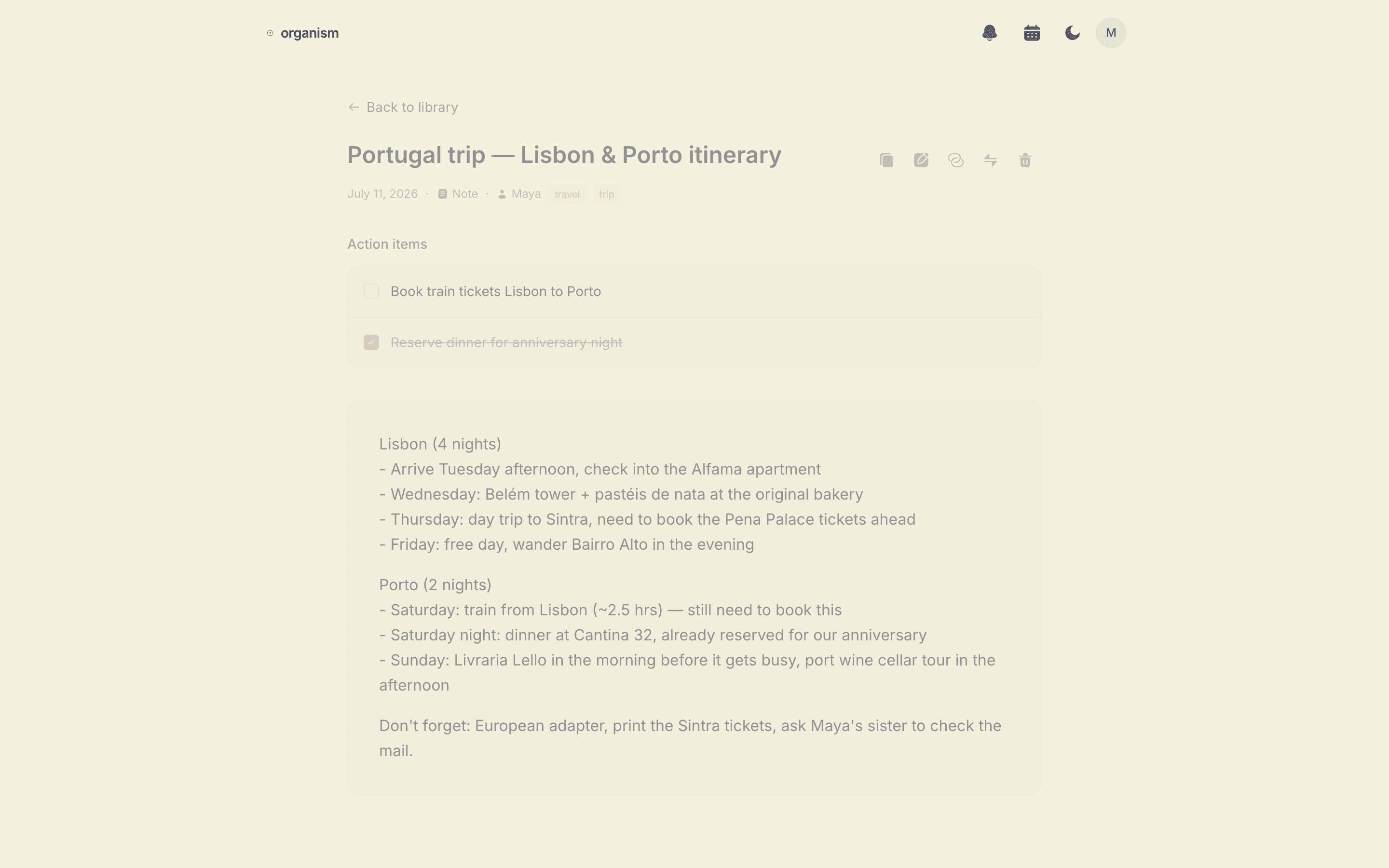
The Problem
Trip planning usually happens across a dozen scattered messages — a screenshot of a hotel confirmation here, a flight number texted there, a restaurant recommendation from a friend. By the time you leave, no one has the full picture in one place.
How Organism Helps
Write the itinerary as a note, forward confirmation emails to your space's inbound address, or record a planning conversation and let it turn into a clean transcript. Everything lands in the same shared space, editable by both of you, searchable when you need to check a detail on the go.
How It Works
- Write the itinerary as a note, or record a planning call.
- Forward flight and hotel confirmations to your space's inbound email.
- Track to-dos — book the train, confirm the reservation — as action items either of you can check off.
Private by Design
Your itinerary is visible only to you and your partner, enforced with Row Level Security at the database level. Read more on our security page.
Frequently Asked Questions
Can both of us edit the itinerary?
Yes. Once you're in the same space, either of you can add or edit notes — the itinerary, reservations, packing lists — and both of you see the latest version.
Can I add things by voice while planning?
Yes. Record a planning conversation and it's cleaned up into a transcript, or just write a note directly. Both end up in the same searchable space.
What if we want to email a confirmation into our space?
Each partner gets a unique inbound email address. Forward any flight or hotel confirmation to it and it's saved to your shared space automatically.